
If you take photos for work, you’ve probably run into this: a perfectly good photo with zero context. No timestamp. No location. No proof of when it happened. When I worked with contractors as an office coordinator, I had the “when was this photo taken?” conversation more times than I can count.
After years of dealing with chaos, I’ve tested almost every method myself. In this post, I’ll break down the best ways to timestamp iPhone pictures.
Let’s start with the simplest case. You already have photos in your camera roll. They need visible timestamps.
iPhone Photos does store the time and date inside metadata. But that is not printed on the actual image. To make it visible, you can use Markup. I use this method only when I need to timestamp one or two photos. Maybe five if I am feeling optimistic.
Here is how to add a timestamp to an existing photo using Markup:
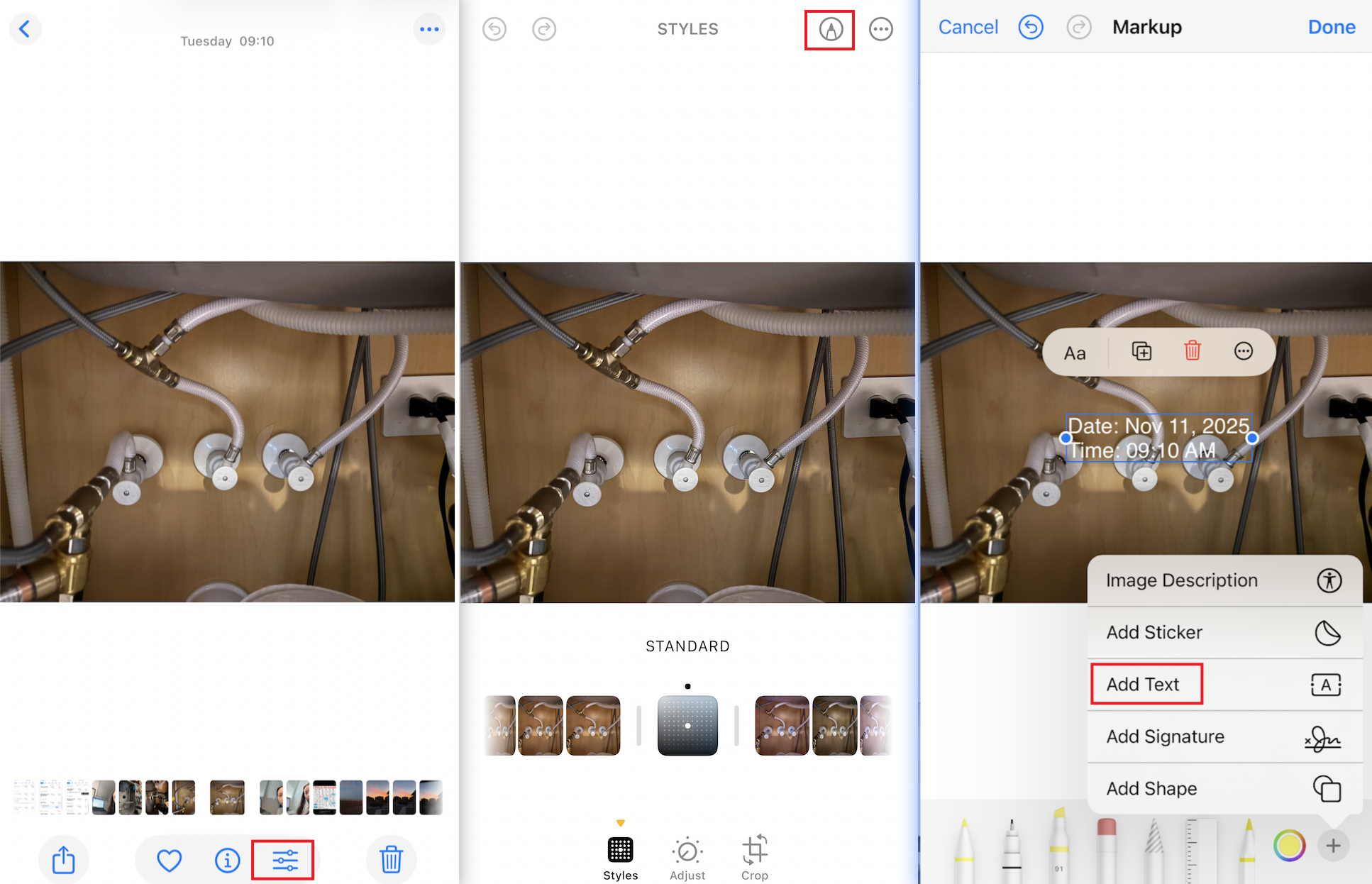
This methods gives you full control over the style and placement. The downside is speed. If your job involves dozens of photos per day, skip ahead because your thumbs will stage a rebellion.
The benefit of this method is control. You can pick your own text size, color and placement. If you only need a quick fix, this is enough.
Batch timestamping is where most people hit a wall. Editing one photo is fine. Editing fifty is not. That’s where batch editing apps come in.
These apps make it easy to apply the same look to many photos at once. They are simple, quick and great for teams that want a consistent format. The only catch is that some apps ignore the original metadata.
Here's how to batch add time stamps to photos using DateStamper:
This video shows the full process in action.
This method works great when you already have a large batch of photos. The app reads each photo’s metadata and stamps the photo time during import, so you keep the original capture details without doing anything manually. The only thing to watch out for is this: if the metadata was changed earlier, the app will still rely on that edited information.
This is the method I personally use and trust the most. If you take photos on the job, real-time stamping is the cleanest workflow.
What does a timestamp camera do?
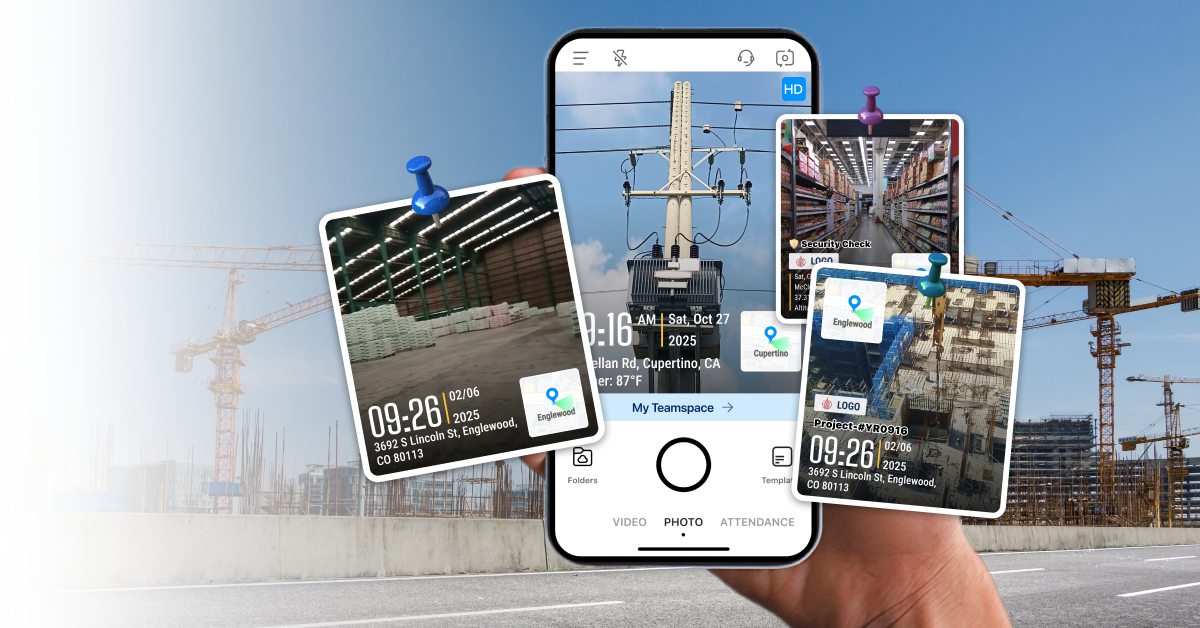
A timestamp camera lets you add date and time to photos the moment you take them. Many timestamp camera apps also add extra details like location, notes, logo, or project info.
How to use a timestamp camera?

1. We use Timemark Camera in this example. Open the Timemark Camera app. The timestamp appears automatically at the bottom left corner.
2. Choose a template that fits your work, like inspections, deliveries, or cleaning job.
3. Or tap the timestamp to create your own template. Add location, notes, GPS coordinates, or even your company logo.
4. Take the photo. That’s it.
This video shows how Timemark works in practice:
There are tons of timestamp and date-stamper apps out there, many with almost identical names. Here’s what I look for in a good timestamp camera:
Below is a quick comparison of top timestamp camera applications (I’ve tried them all out for you!) on app stores:
Timestamping photos sounds simple until you actually try to build a clean workflow. iPhone gives you the basics, but it doesn’t give you the control or consistency field teams need.
Use Markup when you just need a quick fix. Use batch tools when the photos already exist and you just need to clean them up in bulk. Use a real-time timestamp camera when you're the one taking photos and want reliable, uniform stamps without extra work. And if you need photos that can be trusted in a report or review, choose a tool like Timemark. It prevents manipulations and verifies the photo’s authenticity, not just paint a date on top.
The truth is simple. A timestamp on a photo does not guarantee anything. What really matters is if the photo’s hidden info can be trusted. Here’s what people like lawyers and insurance teams check: 1) Can the timestamp be manipulated? 2) Is the metadata intact and consistent? 3) Was the image edited?
Timemark helps you pass that test by validating your time and location against network data at capture and saving a verified record, so your photos hold up when it counts.
Yes. Timestamp cameras are legal to use. Adding visible date and time to your own photos is simply a form of documentation. In fact, many industries rely on timestamped photos for inspections, reports, compliance and record-keeping.
Yes. Many field professionals rely on timestamp camera apps to document work, verify site visits, and maintain proof for clients or audits. Industries like construction, cleaning, inspections, security, and field service use timestamped photos to show when work was completed and who performed it. Visible timestamps also remove ambiguity and help teams avoid disputes, delays, or manual data entry.
It solves three big problems.
1. You forget to stamp later: Everyone forgets. Your day gets busy. You take the photos. You get back to the office and realize none of them show the date. Real-time stamping prevents that. A timestamp camera app like Timemark Camera does exactly that.
2. You need consistent documentation: Field teams need photos that look uniform. Same format. Same placement. Same data points included. Timemark Camera makes this easy with pre-built watermark templates you can use across the whole team.
3. You need solid photo proof: iPhone info can be changed, which makes your photo less believable when used for reports or claims. Timemark is the only timestamp camera app that locks the time and location at capture, so the core details stay trustworthy.
With Timemark Camera, you get clean, consistent, verifiable documentation in just a few taps.
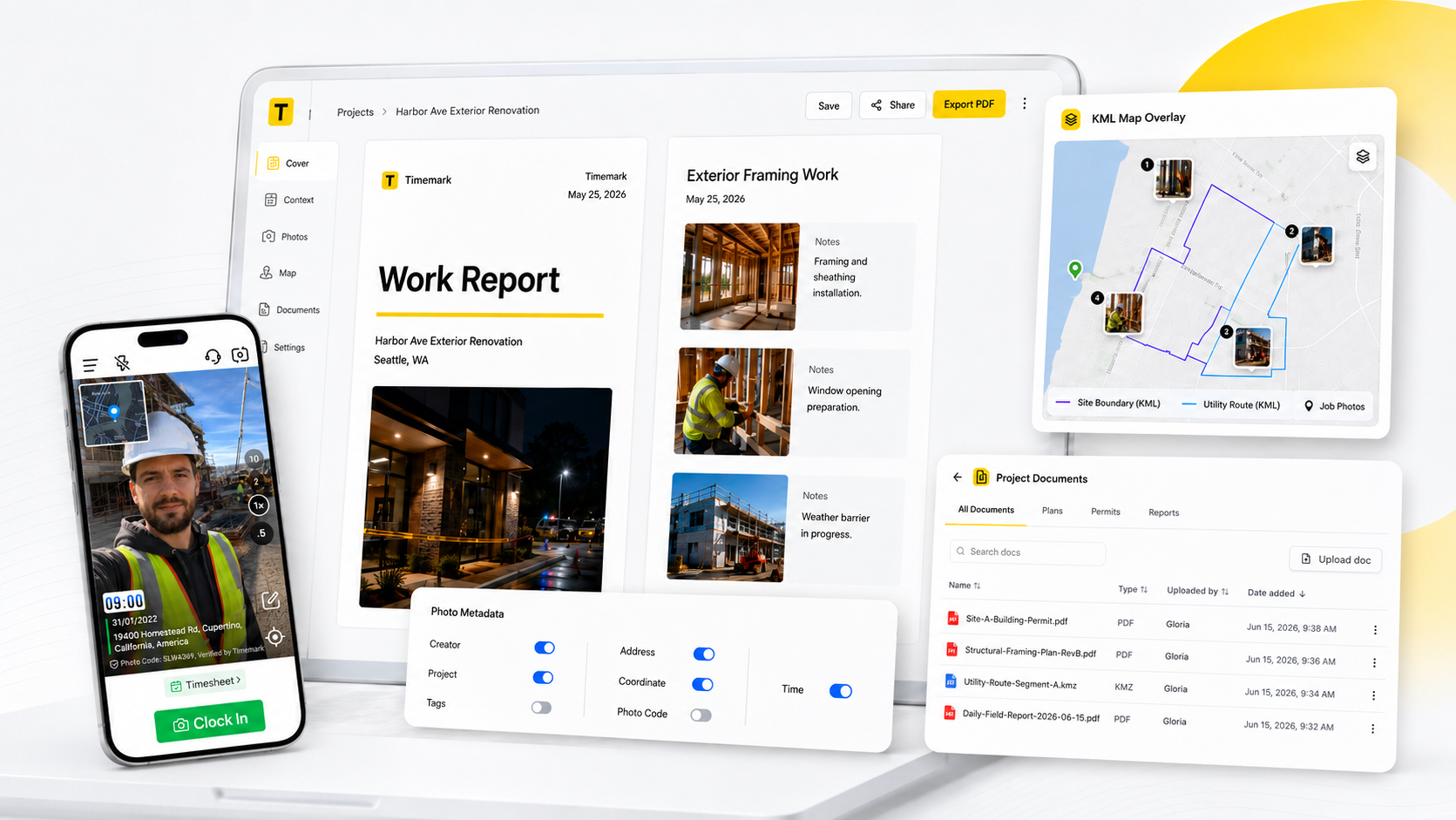
Timemark is a jobsite photo documentation app with timestamp, GPS geotag, and on-site notes. With Teamspace, field teams can automatically collect, organize, search, and export job photos across projects.
Timemark empowers construction, field service, telecom, and transportation teams to capture verifiable job photos to prevent disputes, support claims, and ensure project transparency. Timemark makes job photos trusted, organized, report-ready, and searchable.
Say goodbye to manual photo uploads, messy email attachments, and lost photos. Keep your job photos organized.



.svg)