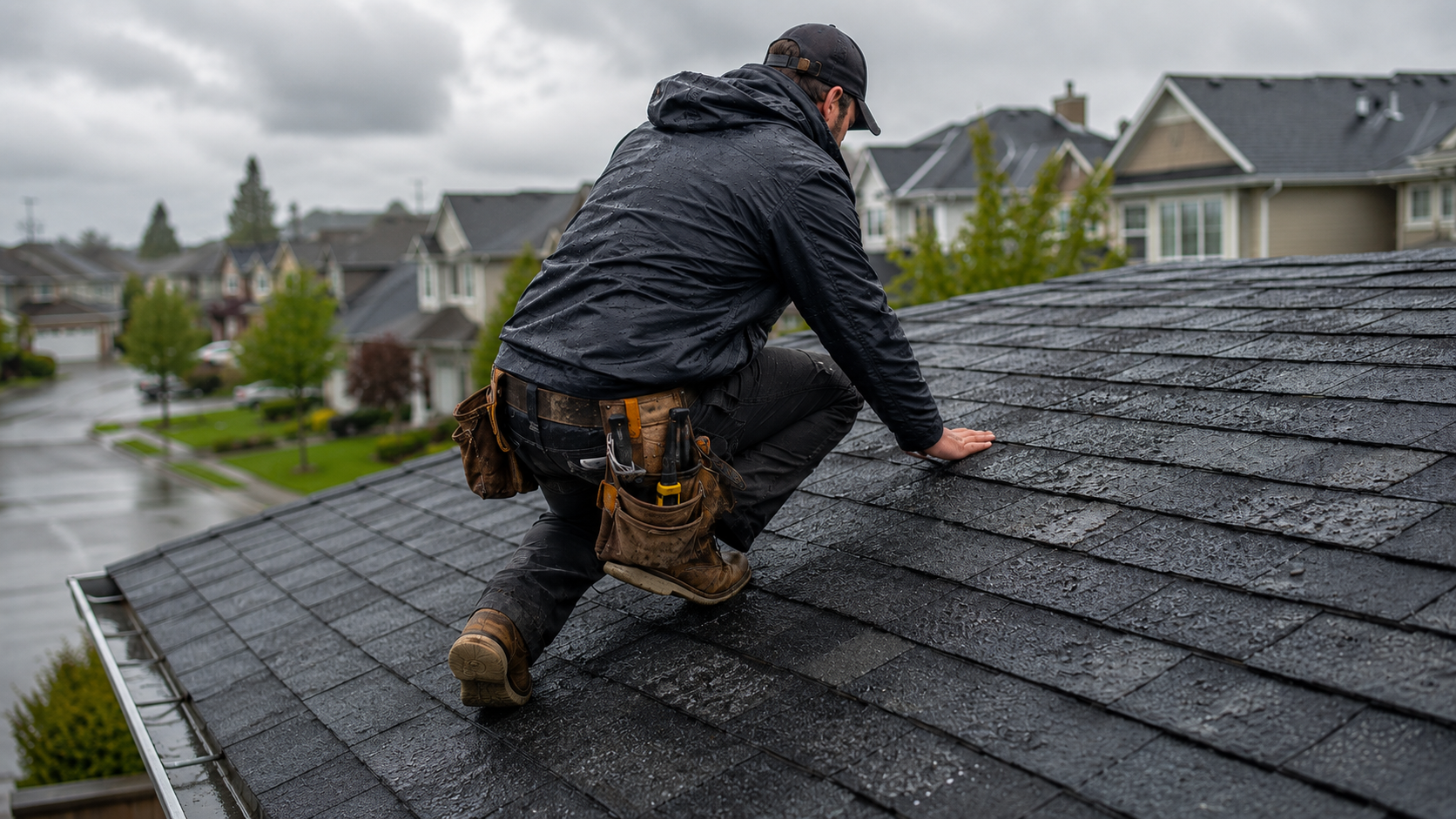


Field workers and teams take a lot of photos on-site to document the progress or before-and-after. Weeks or months later, you’ll be asking yourself “where was this photo taken” over and over. I’ve been there.
Having worked with contractors for years, I know the sinking feeling of trying to find the location from a picture when you need it most. I’ve tested a few ways myself. These methods are also widely used among contractors I’ve worked with. At the end of this post, I’ll also introduce a method that automatically geotags your photos and eliminates the hassle of managing location data.
Table of Contents:
1. Where the Location Data is Stored
2. How to Check Photo Locations on Windows or Mac
3. How to Check Photo Locations on iPhone or Android
4. How to Check Photo Locations in Bulk
5. A Faster and Reliable Way: Use a GPS Camera
7. What to Look for When Choosing a GPS Camera
Before diving in, let’s demystify one word you will come across a lot the moment you search “how to find where a photo was taken”—EXIF. EXIF (Exchangeable Image File Format) is metadata embedded automatically into digital photos.
This data includes capture date, time, camera model, and exposure settings. Crucially, if your device's location services are enabled, EXIF also contains GPS geographic location data (latitude and longitude). To find where a photo was taken, we primarily look for and interpret this EXIF information.
The simplest way to read EXIF data is already built into your computer. No apps, no subscriptions. Simply follow the steps below:
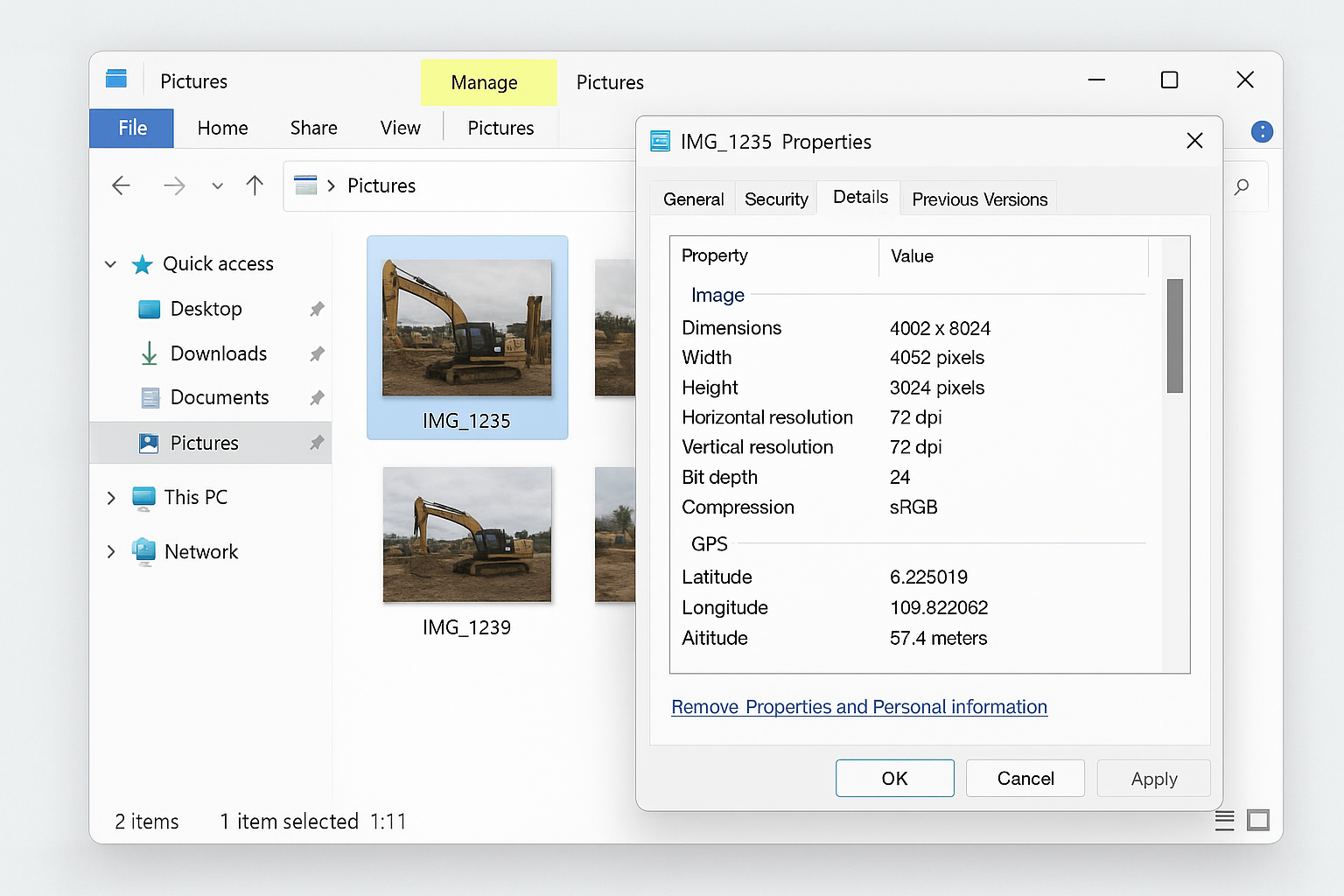
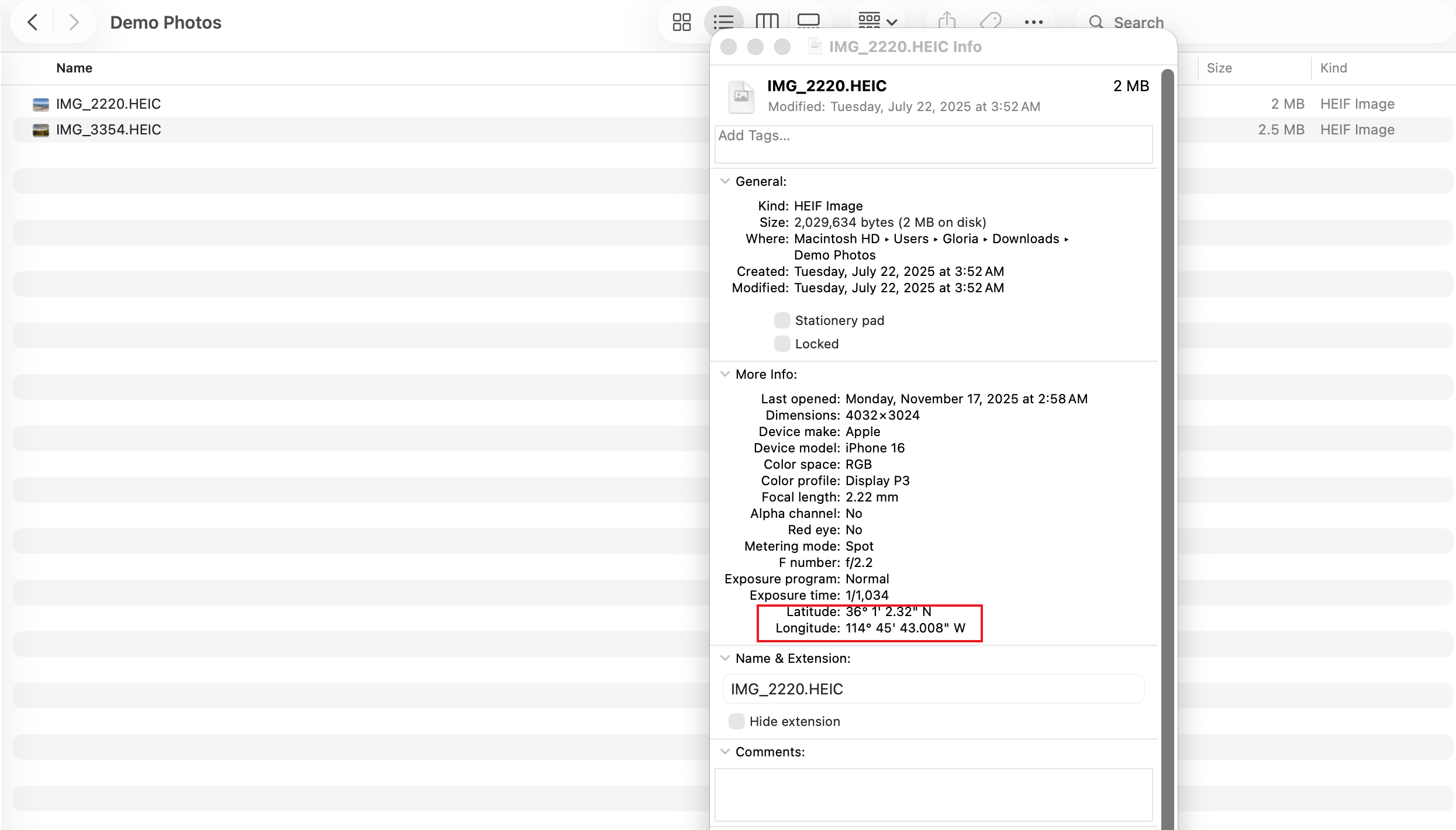
But here’s the catch: If you’re checking hundreds of photos, this method becomes a few hours of mind-numbing, error-prone clicking. Second, if you're a Project Manager receiving photos from subcontractors? You’ve probably already seen the bigger issue: Messaging apps often strip EXIF data entirely.
If this sounds familiar, feel free to jump ahead to Section 5 to explore a more reliable method to capture the GPS data from a photo.
Nowadays we all rely on our phones to capture everything. Field crews even more so. So it just feels natural to check the photo’s location right there in the album.
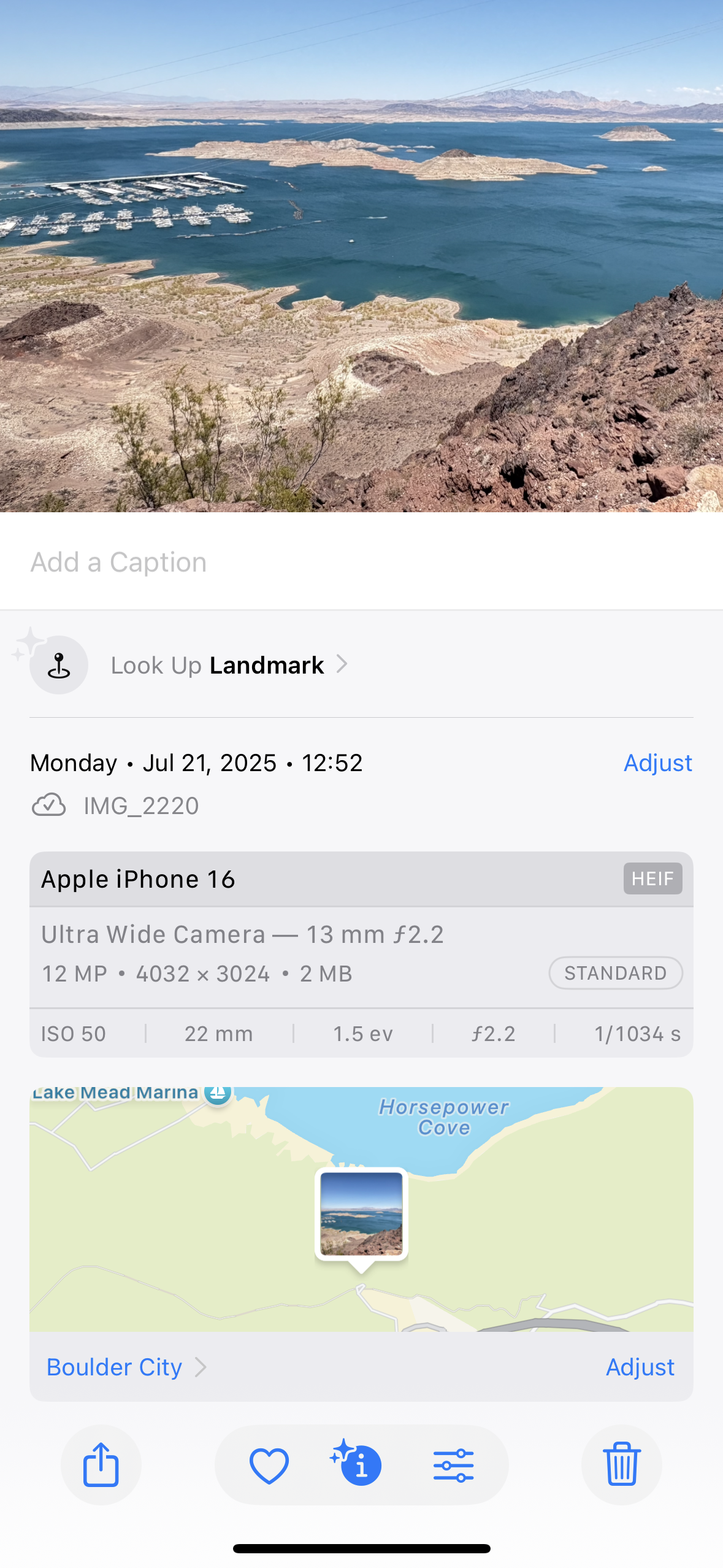
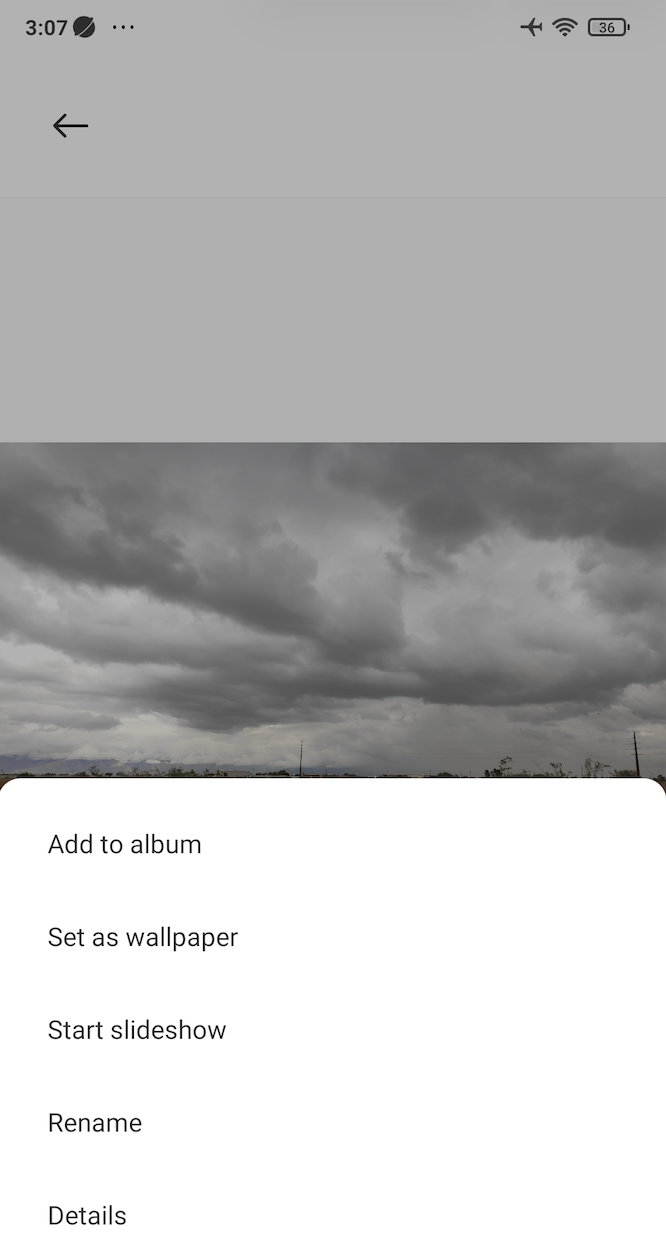
Again, the same disclaimer applies: If the photo has been forwarded through social apps, there’s a high chance the metadata vanished somewhere along the way. Fast forward to Section 5 to find out a more reliable method.
If you manage multiple sites or handle dozens (sometimes hundreds) of photos every week, you already know how painful checking photos one by one is.
That’s why we built a free web tool that helps you upload photos in bulk and export the location data in Excel. It’s genuinely a time-saver.
However, this method still depends entirely on whether metadata survived the sharing process. If you work heavily with field photos, the ideal approach is not to retrieve location data later, but to capture it cleanly at the moment of shooting. Read on!
Tip from my experience: The simplest and most reliable way I’ve found isn’t trying to reverse-engineer a photo’s location later. Instead, stamp the exact GPS info on the photo the moment you take it.
That’s where GPS camera apps come in. Many contractors, surveyors, security teams, telecom crews, and inspectors are using a GPS camera application like Timemark Camera on a daily basis.
Benefits of stamping GPS data directly on photos:
I’ll use Timemark Camera as an example. Timemark is so easy to use that even team members who avoid technology can pick it up in 3 minutes.
Scrolling through the app stores, you’ll run into GPS camera or GPS map camera apps with similar names. After trying basically every major one on the app stores, here’s what I’ve found actually makes a difference in field work:
Below is a quick comparison of top GPS camera applications (I’ve tried them all out for you!) on app stores:
Finding the location of a photo shouldn’t feel like detective work. You can read EXIF manually or use a bulk metadata tool. These methods work fine for a few photos, files from a digital camera, or images that haven’t been shared through chat apps.
But things get tricky fast when you have hundreds of images, multiple sites, or a whole team sending files. If you want something reliable, fast, and tamper-proof, stamping GPS data at the moment of capture is the long-term solution.
And if your team already relies on photos to communicate work, validate progress, or share proof with clients, tools like Timemark Camera remove the guesswork entirely.
Timemark is a jobsite photo documentation app with timestamp, GPS geotag, and on-site notes. With Teamspace, field teams can automatically collect, organize, search, and export job photos across projects.
Timemark empowers construction, field service, telecom, and transportation teams to capture verifiable job photos to prevent disputes, support claims, and ensure project transparency. Timemark makes job photos trusted, organized, report-ready, and searchable.
Say goodbye to manual photo uploads, messy email attachments, and lost photos. Keep your job photos organized.



.svg)