


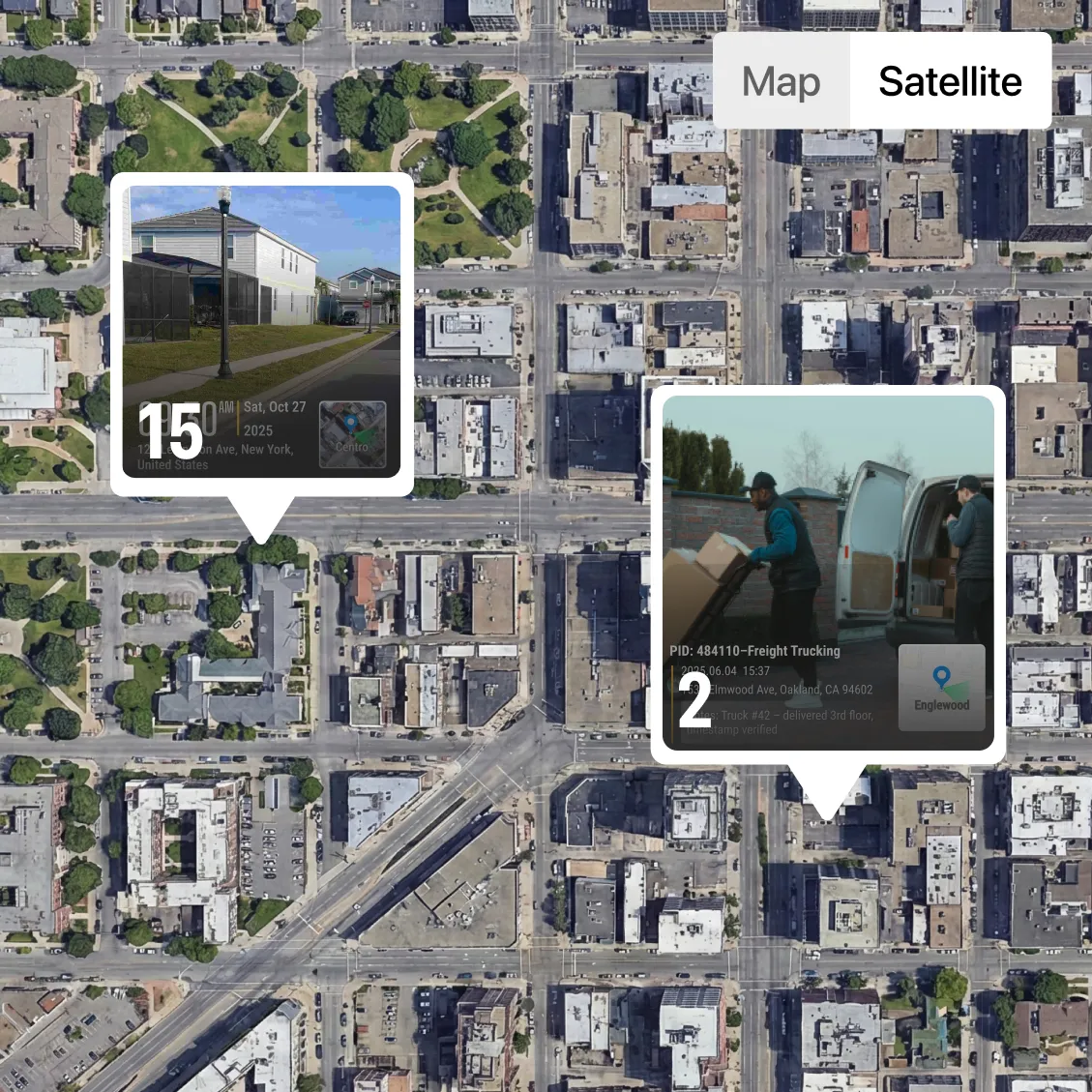


.webp)








Key Feature: Map Based Jobsite Photo Visualization
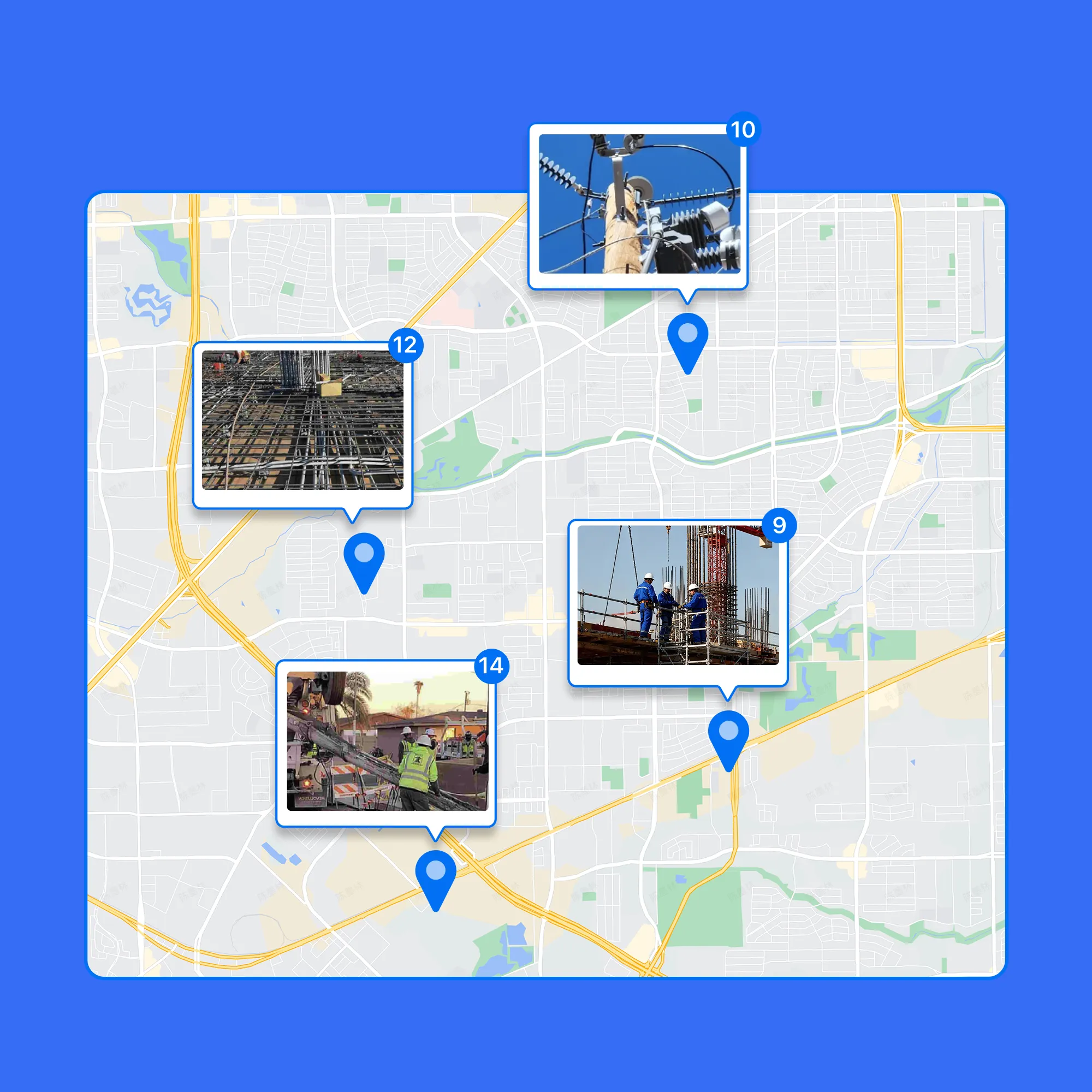
Visualize Photos by Exact Location
• Map Your Photos: Every photo is automatically pinned to the map using GPS data for easy location tracking.
• Quick Location Insights: See where work happened, compare locations, and spot missing coverage, without opening photos one by one.
• Perfect for Large Sites: Ideal for large job sites, multi-location projects, and route-based work.
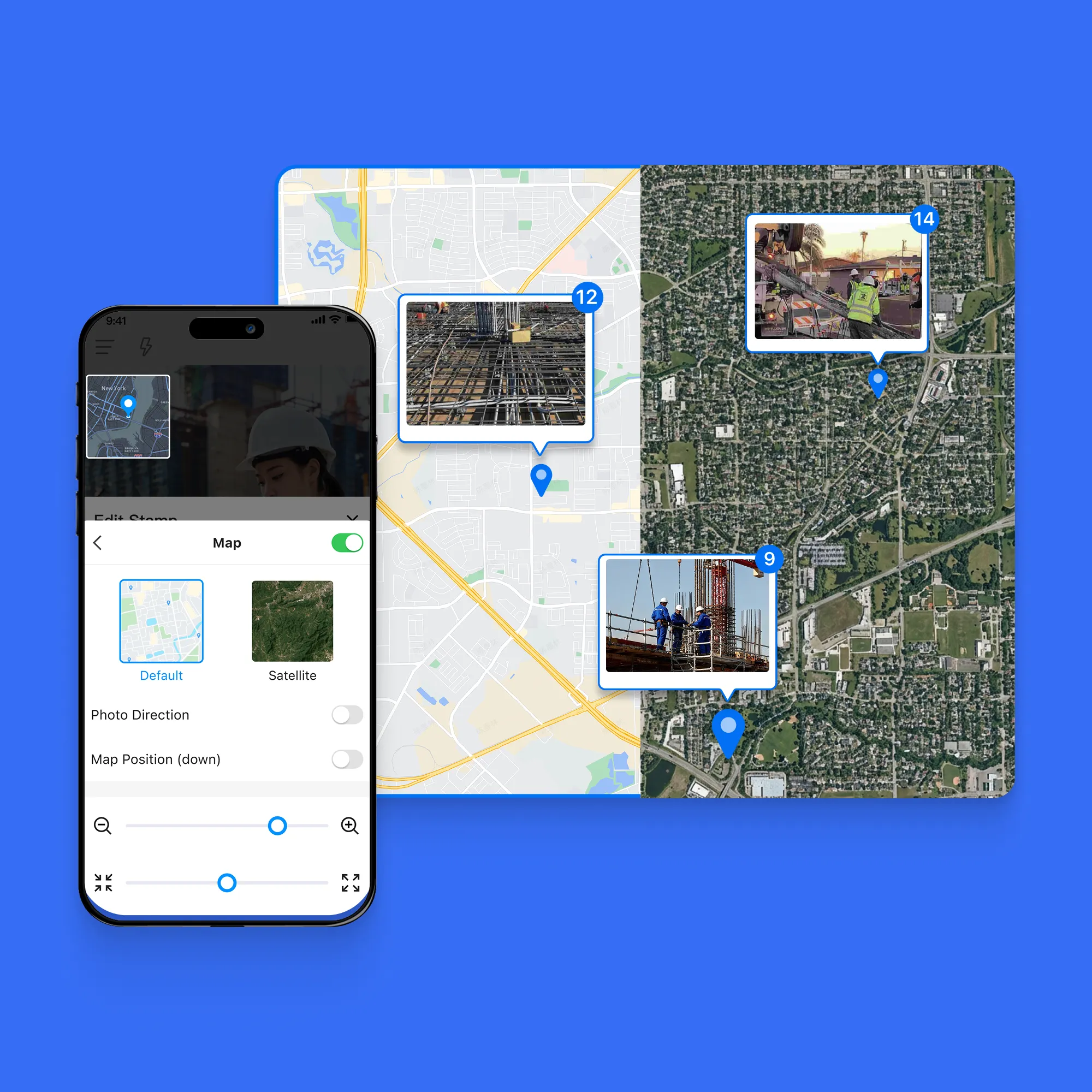
Switch Between Map and Satellite Views
• Flexible Views: Choose the view that fits your workflow for easy photo navigation.
• Map View: Clean, distraction-free layout that lets you quickly scan all jobsite locations, compare positions, and spot missing coverage at a glance.
• Satellite View: See real-world surroundings, structures, and terrain for full context.
• Ideal for Field Work: Perfect for construction sites, telecom routes, land surveys, and security patrols.
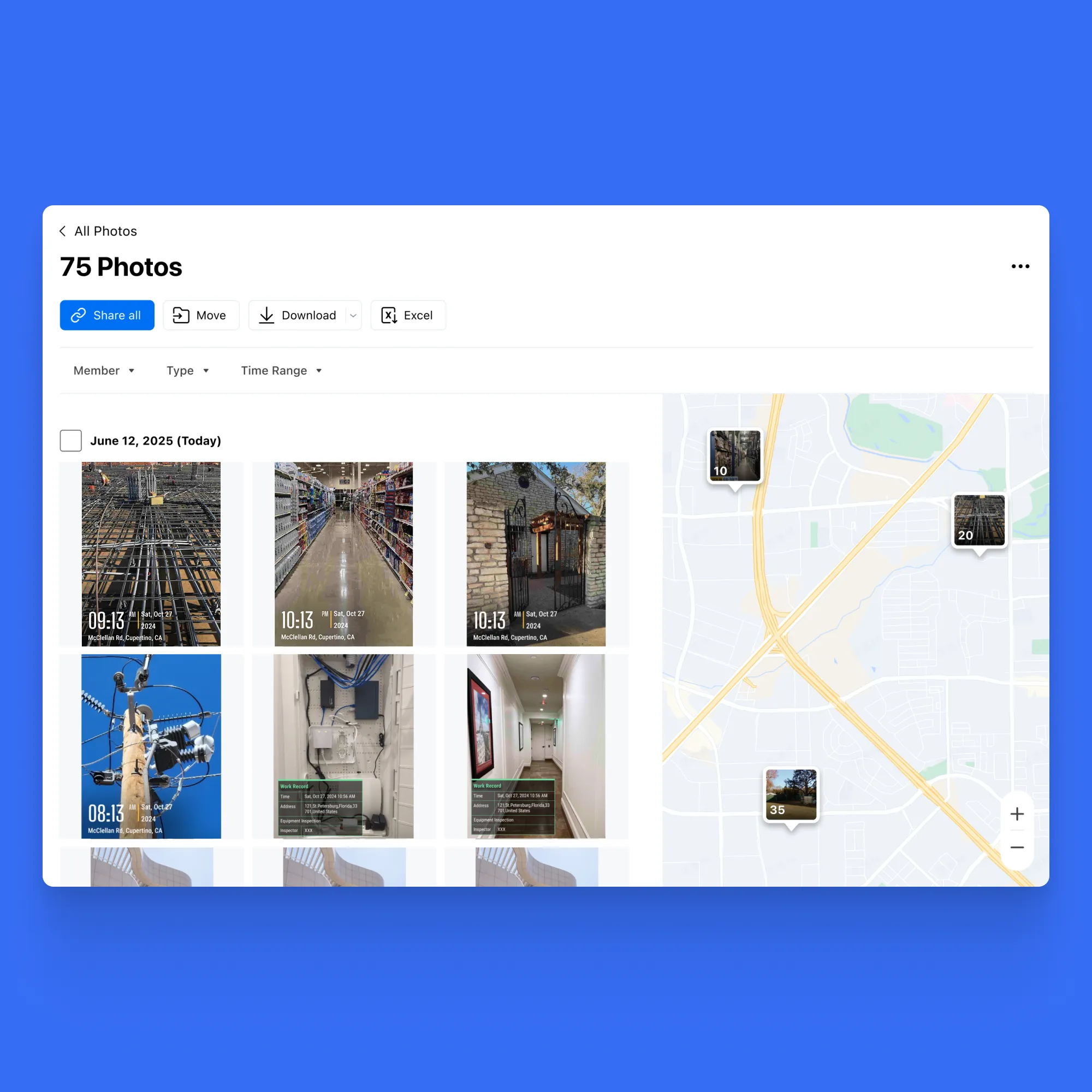
Find the Right Photo Faster with Optional Location Labels
• Precise Location Selection: Zoom into the map and click the exact photo location—no guessing filenames or scrolling endless galleries.
• Split-Screen View: See all photos on the left and their exact locations on the map on the right, all on the same screen.
• Quick Photo Search: Easily locate the photos you need directly from the map, without wasting time scrolling or searching endlessly.
• Show or Hide Terrain: Easily choose whether to display terrain on the map for a clear or detailed view.



.svg)