
If you work in the field and need to prove exactly where a photo was taken, you’ve probably noticed your phone’s default camera isn’t reliable for documentation.
I learned this firsthand as an office coordinator working with field teams. We took tons of jobsite photos. Every week I had to build reports and manually label each one with its location. Pictures came from everywhere: messages, WhatsApp, emails, Google Drive. Every week I had to build reports and manually label each photo. Half the time the GPS metadata was missing or stripped, and matching photos to the correct site was slow and frustrating.
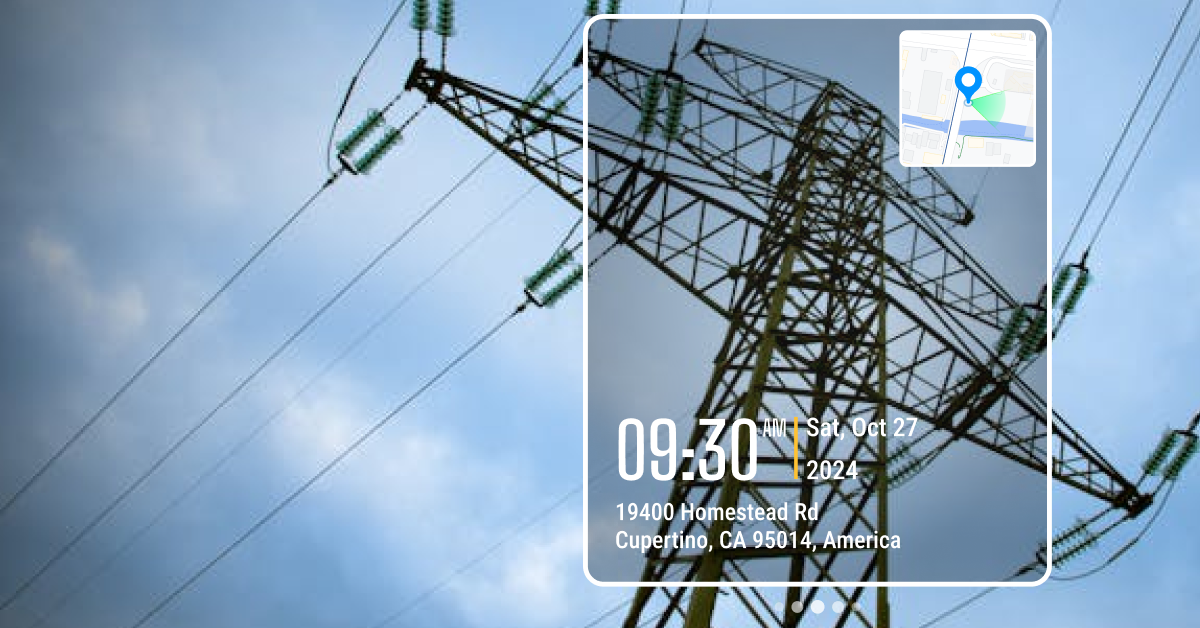
I knew there had to be a better way. That’s when I started researching GPS camera apps. These apps stamp the time, date, and GPS location directly onto photos. In this article, we’ll look at 5 best GPS camera apps for fieldwork and answer the most common questions about GPS tagging.
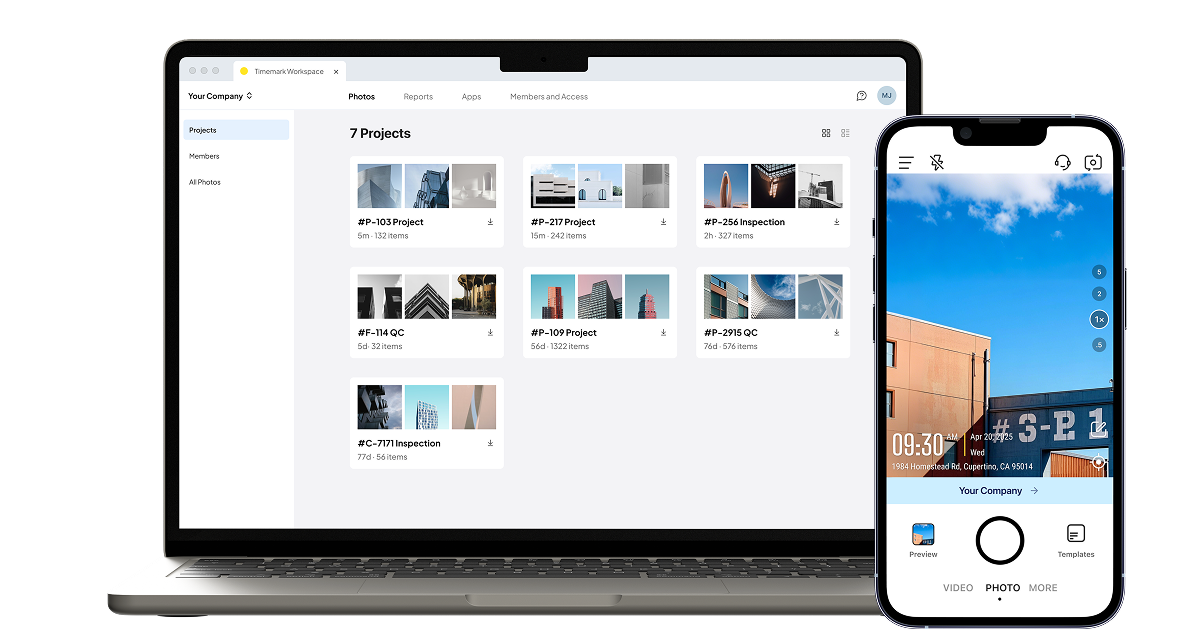
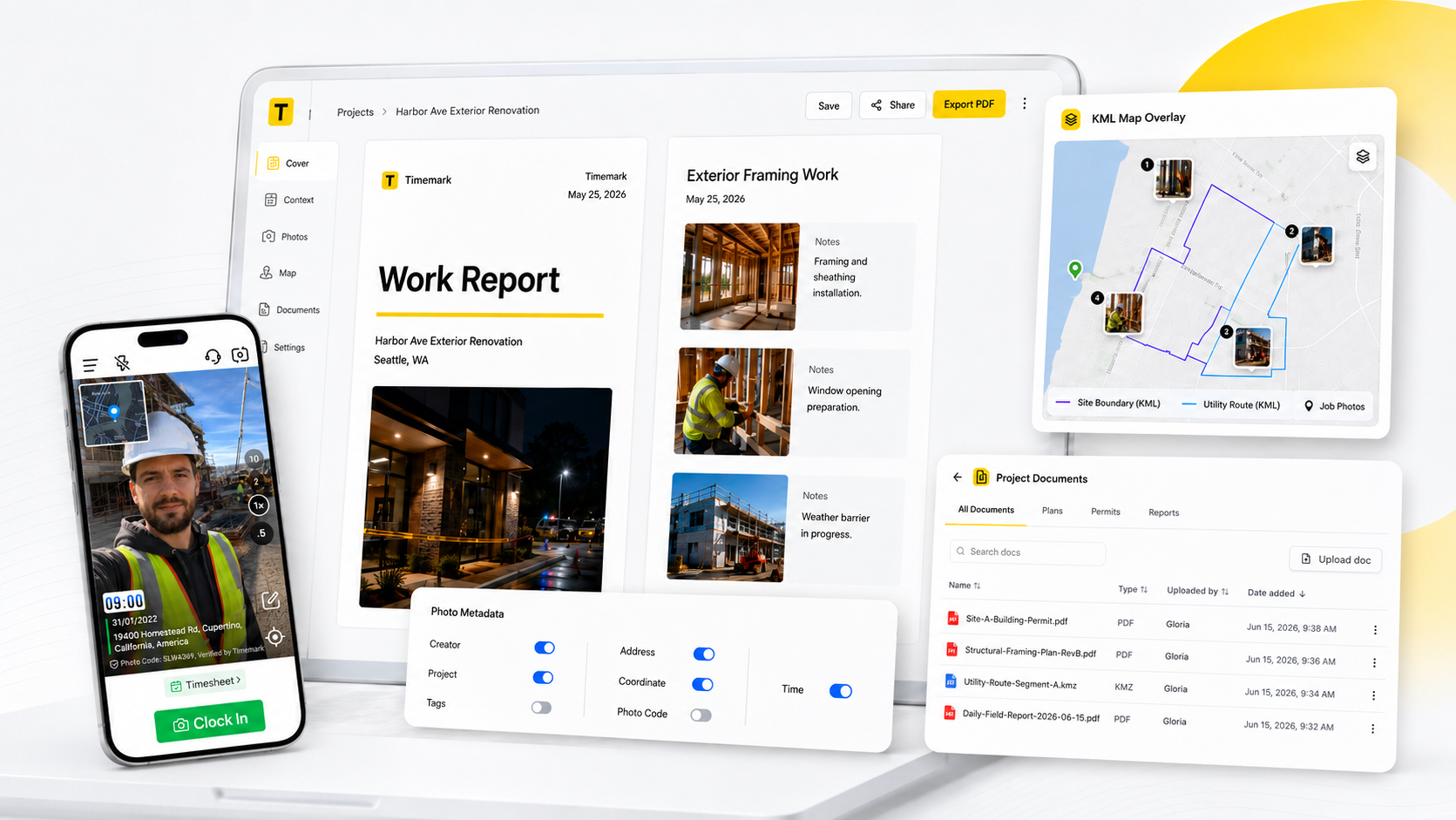
Timemark Camera is a powerful yet easy-to-use GPS camera app designed with fieldwork in mind. It automatically stamps the time, date, GPS coordinates, and address on each photo you take. You can even include extra details like weather, altitude, compass direction, custom notes, or company logo.
Why I chose Timemark: One thing that sets Timemark apart is its focus on professional use. Timemark is the only GPS camera app that validates the time and location data to prevent any tampering. This ensures the credibility of your photo records. Other GPS camera apps only save photos to your camera roll. Timemark fixes this with Teamspace. Photos go straight into a shared cloud workspace. Your team can see the pictures right away, sorted by project, date, or crew.
Timemark also makes reporting much easier. You can turn your photos into clean reports in just a few clicks. It supports PDF, Excel, shareable links, ZIP folders, and KMZ files. This means you can send updates to clients fast without switching to another platform.
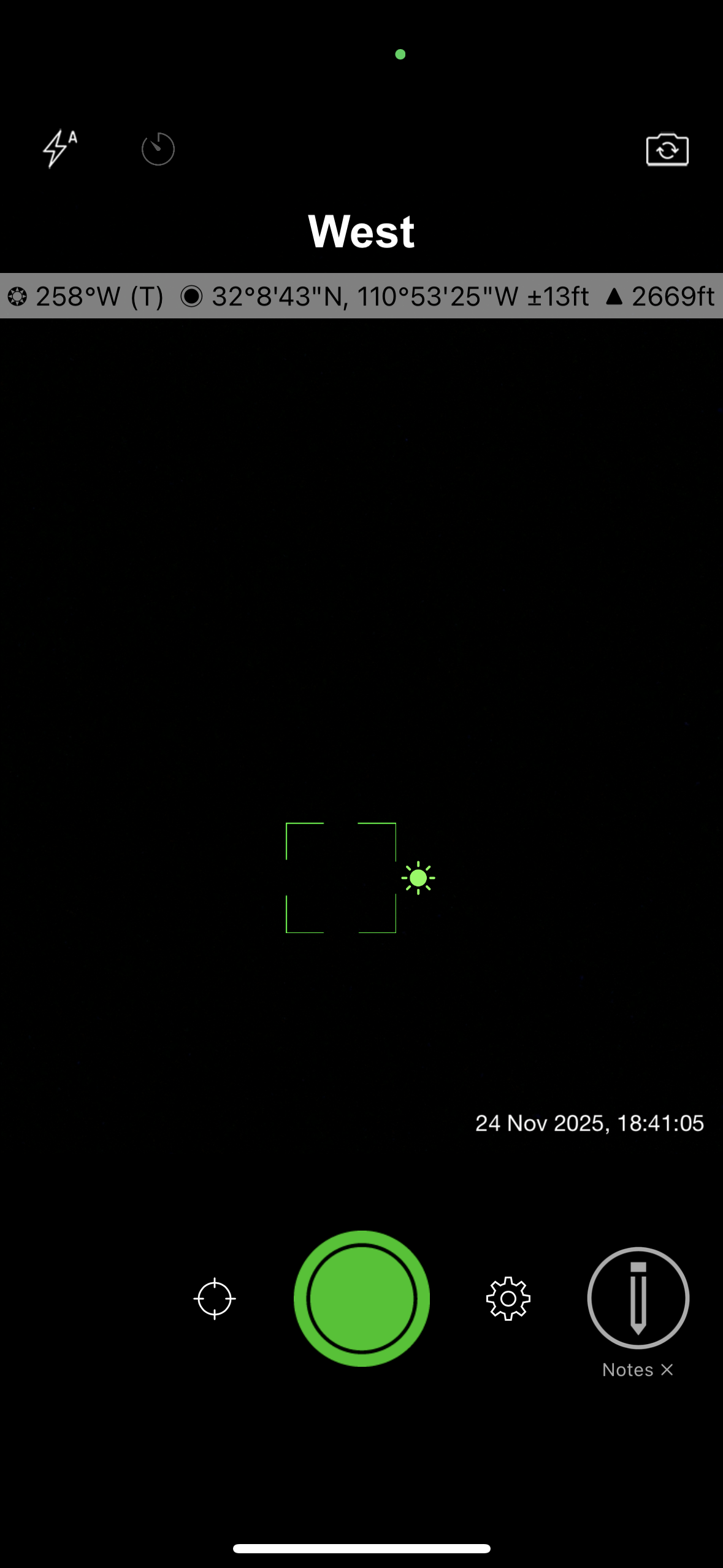
Solocator is a well-known GPS camera app widely used in construction, surveying, inspections, and engineering. The free version provides the core tools you need to capture GPS-stamped photos. Advanced features such as extra coordinate formats, street name display, customizable fields, and enhanced export options are available only in the paid Industry Pack.
When I tested it, I liked how fast I could start taking usable photos. No long setup. The camera loads quickly, and the stamps look clean. The photo library is also easy to use. You can sort images by location, by distance from your current position, or by project name. This makes it simple to find the right photos, even when you’re working across multiple sites.
Why I chose Solocator: My favorite feature is the ability to save two versions of every photo, one with the stamp and one clean for storage. I also found the Lock GPS Location feature very useful. It keeps the same coordinates across multiple photos, which helps when you need consistent location proof but the GPS signal is jumping around.
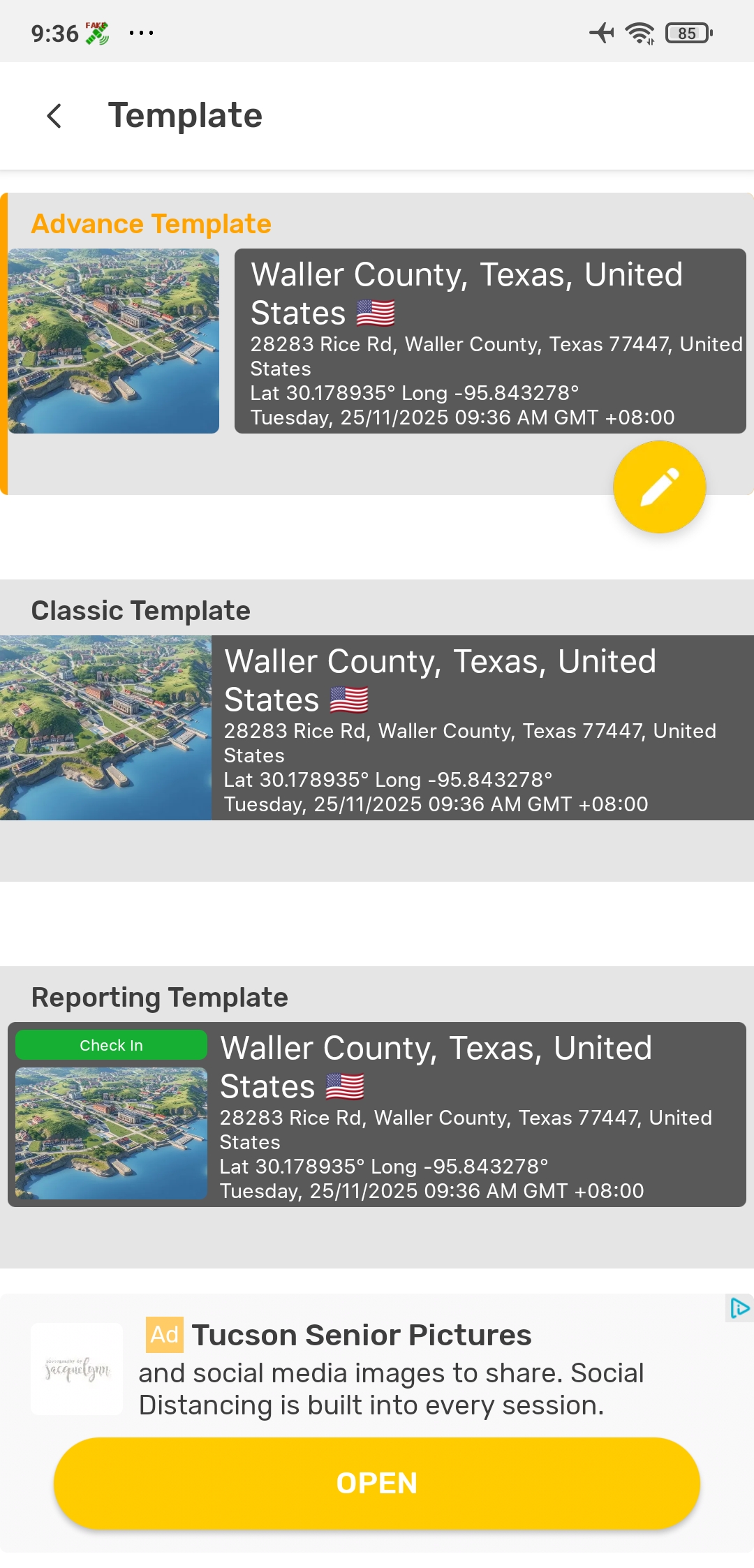
GPS Map Camera is a popular Android app that, as its name suggests, puts a map and GPS info onto your photos. This way, you see the location visually and in text form on your picture. It’s a favorite among travelers and casual users who want to memorialize the location visited. Some field users rely on it for basic location tagging as well.
When I tested the app, I was able to start using it right away. The interface is simple, and the pre-set templates make it easy to take your first photo without any setup. The map stamp is clear, and you can switch between standard roadmaps, satellite views, or terrain maps. I also liked the control you get over the file name format. If you need to find photos quickly later, this makes a big difference.
Why I Chose GPS Map Camera: GPS Map Camera offers more than basic GPS stamping. The app lets you send an image directly through email once you set up a recipient and subject. This is useful when you need to share updates with clients or teammates right away. The app also includes a simple reporting feature that lets you create a quick report and add remarks on the go.
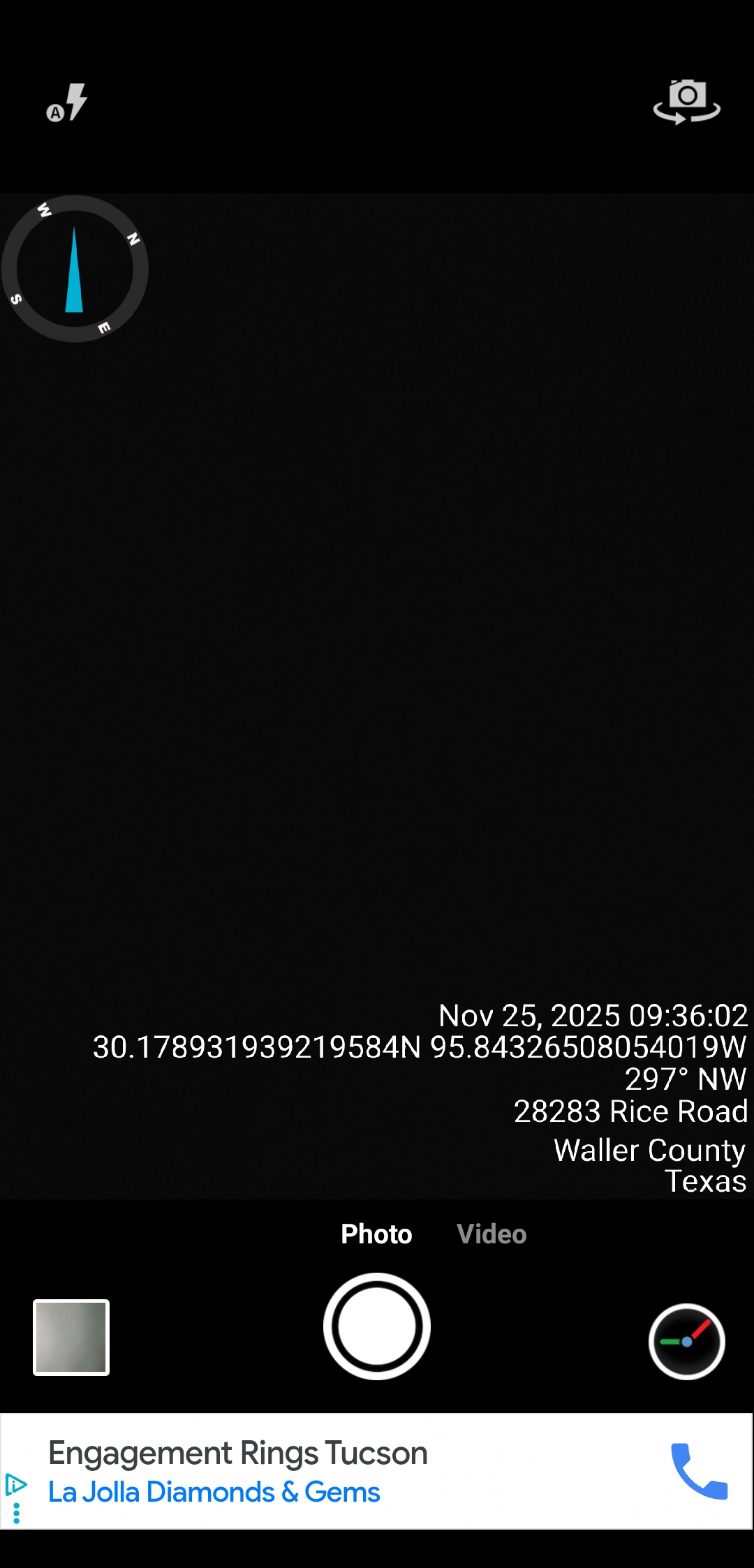
Timestamp Camera by Susamp Apps is a simple, fast, and reliable app for adding real-time date, time, and GPS location to your photos and videos. Like GPS Map Camera, its main strength is clarity: the timestamp and location are burned directly onto the image as you shoot, making it useful for both casual and professional use.
When I tested the app, I noticed the free version has ads, but they aren’t too interruptive. What stood out most is how much customization you get. You can adjust formats, colors, positions, and extra info. It’s a lot of control for a free app, though it can feel a little overwhelming at first as you scroll through all the settings.
Why I Chose Timestamp Camera: I chose Timestamp Camera for its simplicity. f you just need a clean timestamp and GPS stamp, you can snap and go without changing anything. I also liked the option to add a short tag. This is especially helpful when you’re taking before-and-after photos and want quick context built right into the image.
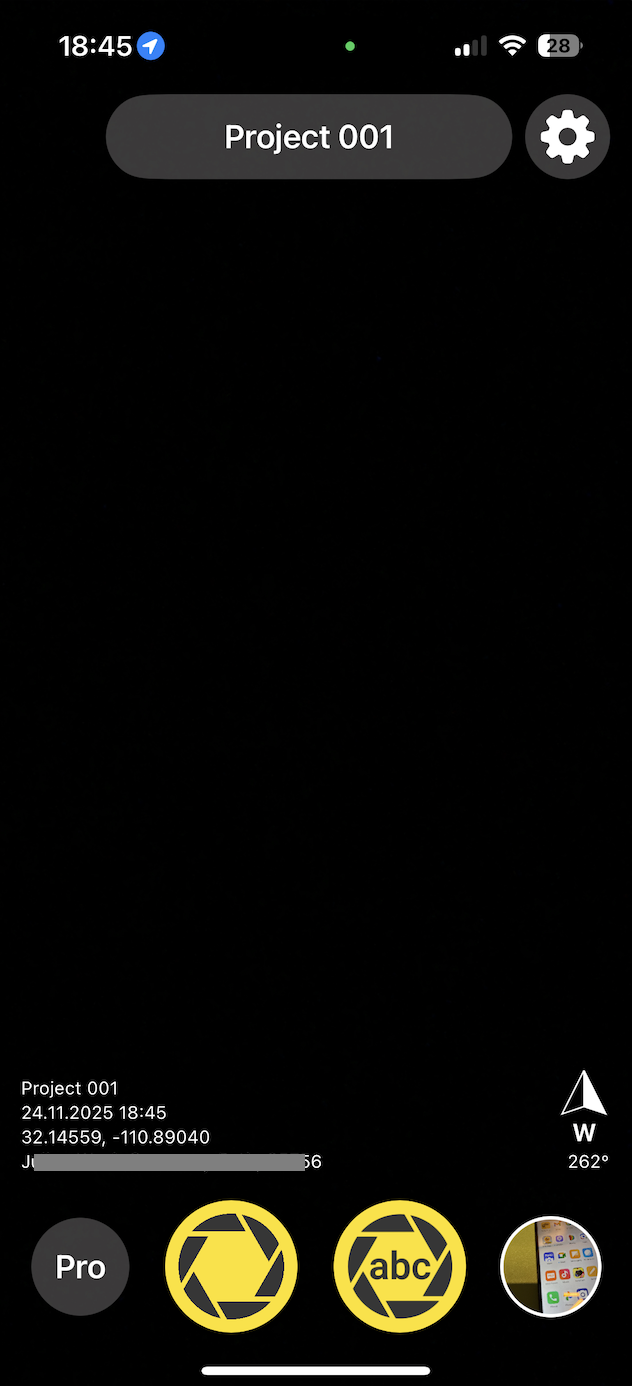
Conota, formerly SpotLens, is a camera app tailored for engineers, surveyors, and construction pros. Much like Solocator, Conota will tag photos with coordinates, altitude, address, date and time, etc., but it has a few extra tricks up its sleeve for technical users.
When I tested Conota, I noticed right away that it feels more technical than the average GPS camera app. The camera is simple to use, and the stamps are clear, but the real value comes from the extra tools. It can measure distances and areas using the GPS points from your photos. If you take pictures from different positions, the app can estimate the distance between them or even calculate the area of a polygon formed by multiple shots. This is helpful on large sites or environmental surveys where you want quick, approximate measurements without doing a full survey.
Why I Chose Conota: I chose Conota because it saves more than just photos. You can store GPS coordinates in lists or files inside the app and group them by project or checkpoint. This makes it easy to export coordinates into GIS software later. If you work with maps or survey data, this feature saves a lot of time.
In the end, GPS camera apps are about making your photo documentation actually believable. I’ve spent enough time sorting jobsite photos to know that relying on metadata alone is a gamble you usually lose. When you need photos to stand as proof, a proper GPS camera app saves you time, prevents mistakes, and removes the back-and-forth that comes when someone questions where or when a photo was taken. If you just want memories, any simple app works. But if your photos end up in reports, inspections, or client conversations, choosing a tool like Timemark built for field teams gives you clarity, consistency, and peace of mind.
A GPS camera is a camera that adds the location of where a photo was taken. It uses your phone’s GPS to record the exact place, and it stamps that information on the photo. Some apps also add the date, time, weather, or direction you were facing. People use GPS cameras for work proof, inspections, reports, or any task where you need to show where a photo came from.
Using a GPS camera on your phone is simple:
Adding geotag to photos is free with Timemark. The app adds geotags to every shot at no cost with no hidden fees. This helps your business get reliable proof without extra expenses.
A GPS camera app like Timemark is necessary. A separate logger needs manual syncing. Timemark auto-connects GPS data to photos, so your team saves time.
You can still capture geotagged photos. Timemark uses your device’s built-in GPS coordinates, so it works in places with bad or no internet connection.
Timemark is a jobsite photo documentation app with timestamp, GPS geotag, and on-site notes. With Teamspace, field teams can automatically collect, organize, search, and export job photos across projects.
Timemark empowers construction, field service, telecom, and transportation teams to capture verifiable job photos to prevent disputes, support claims, and ensure project transparency. Timemark makes job photos trusted, organized, report-ready, and searchable.
Say goodbye to manual photo uploads, messy email attachments, and lost photos. Keep your job photos organized.



.svg)